Tuesday, 12 May 2015

SharePoint 2013/2010 does not accept AD credentials


I had the below message from a client:

When trying to browse to the SharePoint Intranet site, it keeps asking my credentials and not accept it. I’m sure my credential is correct and I have a full access permission to this site.


Solution:
You need to Disable Loopback check:

1.       In the SharePoint Server, click Start >  Run > type "regedit"   ( to open the Registry Editor)
2.       In Registry Editor, open  HKEY_LOCAL_MACHINE\SYSTEM\CurrentControlSet\Control\Lsa
3.       Right-click on Lsa, > New, and then click DWORD Value. (If your SharePoint is running on Windows 2008, then you should select DWORD 32bit)
4.       Name it  DisableLoopbackCheck
5.       Right-click on  DisableLoopbackCheck, and click Modify.
6.       In the Value data box, type 1 and then OK.
7.       The SP site will accept the credentials.


Intranet is working !!!!!

Hope it helps,

Kate

Friday, 8 May 2015

PowerShell Script to get Items from SharePoint Calendar List


The below script gets all of the items from the "Calendar" list (or any other list)


cls
if((Get-PSSnapin | Where {$_.Name -eq "Microsoft.SharePoint.PowerShell"}) -eq $null) {
    Add-PSSnapin Microsoft.SharePoint.PowerShell;
} 

$sourceWebURL = "http://SharePointSiteURL"
$sourceListName = "Calendar"
$spSourceWeb = Get-SPWeb $sourceWebURL
$spSourceList = $spSourceWeb.Lists[$sourceListName]
$spSourceItems = $spSourceList.Items
$spSourceItems | ForEach-Object {
Write-Host $_['Name']
Write-Host $_['Title']
Write-Host $_['Description']
}

The JavaScript code with JQuery stopped working after SP update - Uncaught TypeError: Cannot set property 'onchange' of null

After installation of SP update, we noticed that the JavaScript code with JQuery stopped working.

 Looking at the Developer tools, here is the error: Uncaught TypeError: Cannot set property 'onchange' of null


We have found this link which helped uo to fix the issue


It was because, If you have a required field  in your SharePoint list and you make a reference to the form control in the EditForm.aspx page. You will get a javascript ‘null’  error stating that the script is unable to find the value.
 Solution:
  1. Get a list of all required fields in your list.
  2. Edit your JavaScript code and  find the fields 
  3. In your JavaScript code, change the Column name(s)  to ‘CoumnName Required Field’.


Hope it helps

Kate

SharePoint List with a lookup column to a list in another Site

When you create a Look up column in a SharePoint List, you can just select a list from the current site to look up for a column.

Scenario :  there is a listA in SiteA and another list called ListB in SiteB
In ListA, you are going to add a new lookup coulmn to ListB

by the below steps you can add a lookup column to a list in another Site:

  •  Navigate to a top level site (which contains both SiteA and SiteB sub sites). If SiteB is the parent site of SiteA,  then you can do the following in SiteB.
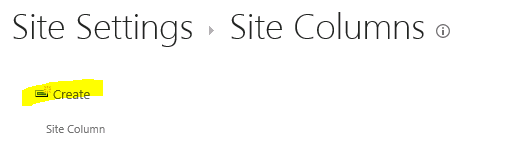
  • Go to Site Settings> Under the Web Designer Galleries, click on Site Columns 

 
  • Click on Create link


  • Enter a name; Select hookup Field; Enter/Select a Category; Select the list and Column and  Save it.


  • In  your list, go to Site Settings > Click on Add from existing site column

  • Select the category and the Site Column you have created > Add


You added a lookup column from a list in another site to your list.

Hope it helps,

Kate